FreeWorld 模组开发参考FreeWorld Modding Reference
面向 Mod 作者:游戏如何发现、加载你的 Mod,可以改什么、怎么改,以及每个配置表有哪些字段。 For mod authors: how the game discovers and loads your mod, what you can change and how, and which fields every definition table has.
快速开始Getting started
10 分钟做出第一个只用 XML 的 Mod,并在游戏里看到它。Build a first XML-only mod in 10 minutes and see it in game.
游戏界面图解In-game walkthrough
截图标注:Mod 管理界面,以及配置字段显示在界面的哪里。Annotated screenshots: the mod manager and where definition fields appear.
让 AI 帮你写 ModLet an AI write your mod
一份给 AI 编码代理的 Markdown 指引,可在线阅读、复制或下载。A Markdown guide for AI coding agents — read it online, copy it or download it.
API 参考API reference
从代码自动导出的类型、XML 结构与全部配置表字段,可搜索。Searchable types, XML schemas and every table's fields, generated from code.
Mod 的种类Kinds of mods
一个 Mod 是 mods/ 下的一个文件夹,必须有 Manifest/manifest.xml。按其中放的内容,游戏会走不同的加载路径;同一个 Mod 可以组合资源和数据,但程序部分只能在 Lua 和 DLL 中二选一。
A mod is a folder under mods/ with a required Manifest/manifest.xml. What else it contains decides the load path. One mod may combine resources and data, but its program part must be either Lua or a DLL, not both.
| 类型Kind | 能做什么What it can do | PC | Android / iOS |
|---|---|---|---|
| 数据 ModData | 用 def.xml 新增配置表行(物品、文本等),或附带 .fwr 表文件。Add definition rows (items, text, …) via def.xml, or ship .fwr table files. |
✓ | ✓ |
| 资源 ModResource | 新物品图标、替换战舰贴图、新增角色外观/武器贴图。Icons for new items, warship texture overrides, new character skins and weapon art. | ✓ | ✓ |
| Lua 程序 ModLua program | 在加载、配置表就绪和每帧运行脚本;通过 xLua 调用已开放的 C# API。Run script on load, after definitions, and per frame; call exposed C# APIs through xLua. | ✓ | ✓* |
| 剧本 ModScenario | 数据行引用 Mod 自带的剧情 Lua 和关卡地图,做自定义开局、引导与演出。Data rows that reference the mod's own story Lua and level maps, for custom starts, guidance and cutscenes. | ✓ | ✓* |
| C# DLL ModC# DLL | 完整的 C# 能力:修改已有配置行、自定义建筑、配合 Harmony 打补丁。Full C#: modify existing rows, custom buildings, Harmony patches. | ✓ | ✗ |
* 手机为 IL2CPP,Lua 只能调用打包时生成了桥接代码的 C# API,见 Lua 页;剧本 Mod 在手机真机上尚未验证。手机上启用 DLL Mod 时,游戏会提示并跳过该 Mod,不会中止启动。OpenHarmony 平台的 Mod 行为尚未验证。 * Mobile builds use IL2CPP: Lua can only call C# APIs whose bridges were generated at build time — see the Lua page; scenario mods have not been verified on a real phone. On mobile, an enabled DLL mod is skipped with a toast rather than aborting startup. Mod behaviour on OpenHarmony has not been verified.
游戏结构速览How the game is organised
FreeWorld 有两层玩法,各自由一组配置表驱动。表名前缀大致能看出它属于哪一层;完整列表见 API 参考 → 配置表。 FreeWorld has two layers of play, each driven by its own family of definition tables. The class prefix usually tells you which layer a table belongs to; the full list is in API reference → Tables.
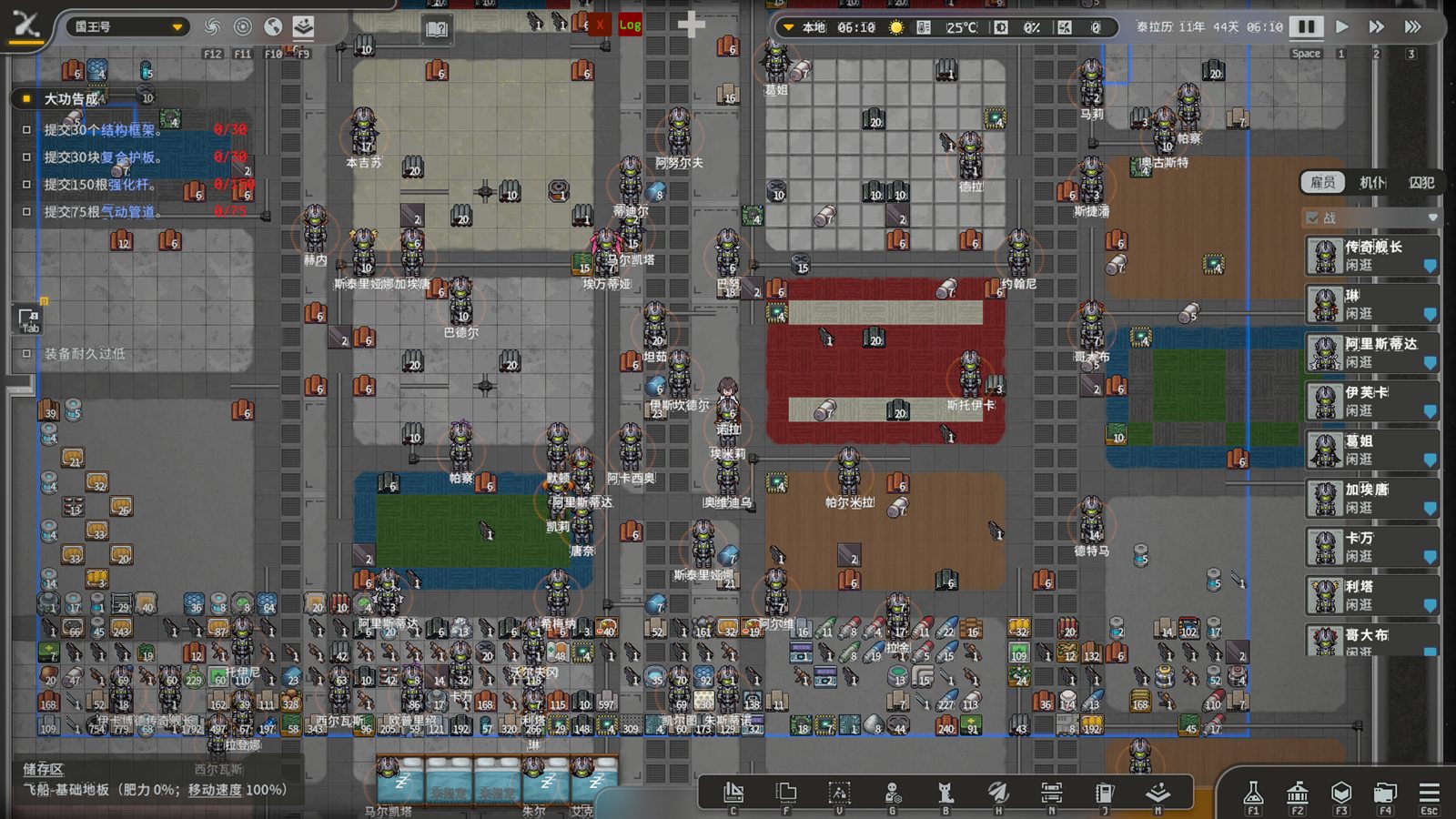
T_*(物品)、F_*(设施)、Map_*、Role_*、TK_*(任务)等表。
Ground / ship-deck colony: buildings, items, colonists, production. Mostly T_* (items), F_* (facilities), Map_*, Role_* and TK_* (missions) tables.
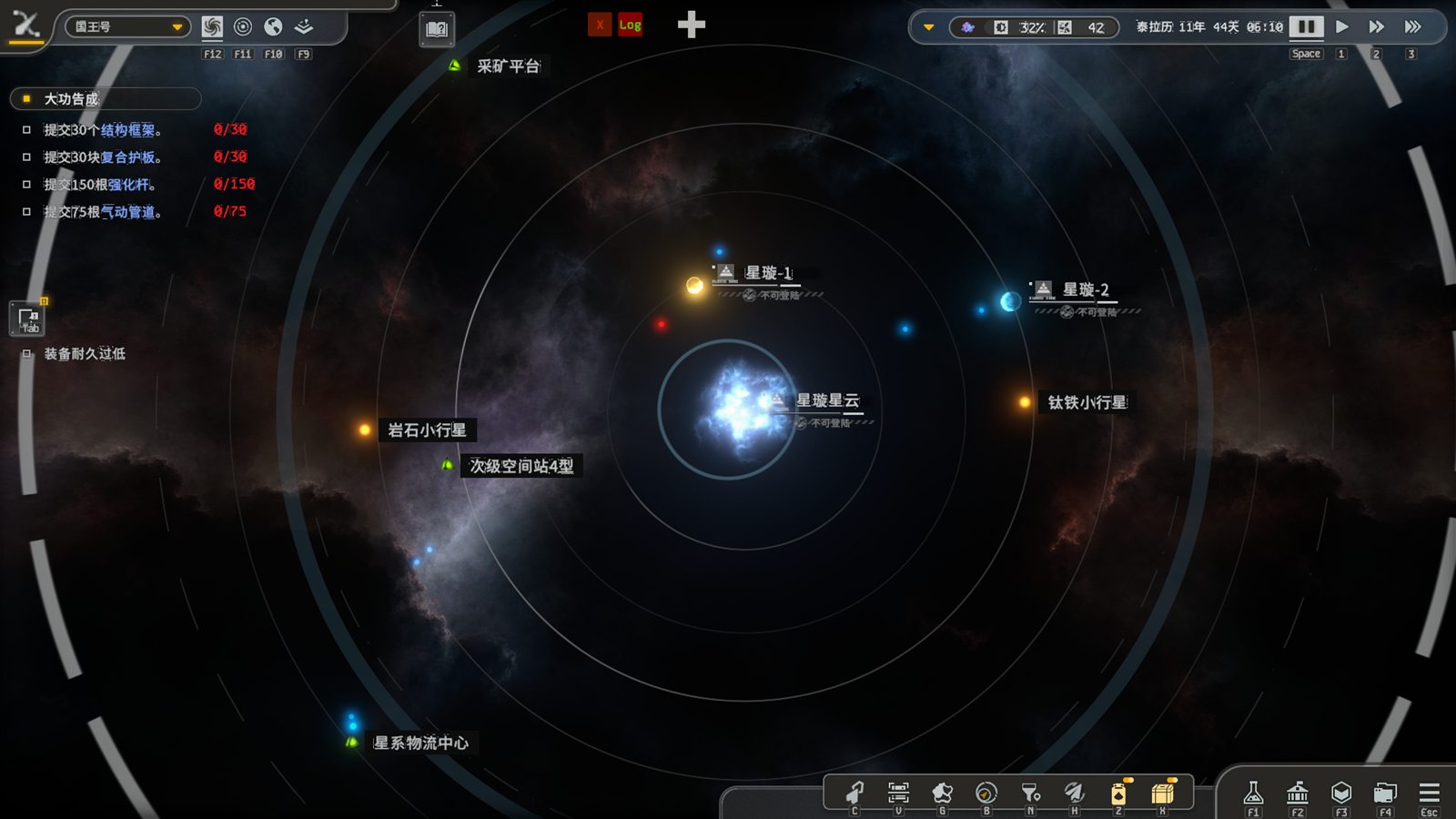
G_* 表(如战舰 G_AirShip、船插 G_HullMod、势力 G_ForceFaction)与 Trade_* 表。
Galaxy layer: star map, fleets, factions, trade and space combat. Mostly G_* tables (warships G_AirShip, hull mods G_HullMod, factions G_ForceFaction) and Trade_*.
两层共用一套配置表加载流程(CategoryManager.loadDefinitions),所以数据 Mod 的写法对它们完全一样。
Both layers share one definition pipeline (CategoryManager.loadDefinitions), so data mods work identically for either.
先了解这几条规则Rules worth knowing first
- Mod 只在启动时加载。在 Mod 管理界面改动启用列表后需要重启游戏。Mods load only at startup. Changing the enabled list in the mod manager requires a restart.
- XML 新增的行会自动加上包 ID 前缀:
<packageId>_<ID>。因此 XML 只能新增,不能覆盖原版的行;修改原版数据需要 Lua 或 DLL 程序 Mod。Rows added from XML are prefixed with<packageId>_<ID>. XML can therefore only add rows, never replace built-in ones; changing built-in data needs a Lua or DLL program mod. - 加载顺序 = 已启用列表的顺序。依赖关系只用于界面提示和“自动排序”,加载时不会强制检查。Load order is the order of the enabled list. Dependencies drive UI warnings and “auto sort” only; they are not enforced at load time.
- Mod 代码不是沙箱。Lua 与 DLL Mod 都以游戏进程的权限运行。Mod code is not sandboxed. Lua and DLL mods run with the game's own permissions.
关于本站About this site
“API 参考”中的类型签名、XML 结构、配置表字段和剧情脚本接口由导出工具直接从游戏代码生成,随版本更新;其他页面的说明对照同一版本的代码编写,示例 Mod 已在该版本游戏中实测加载。页面顶部显示数据对应的版本与提交。 Signatures, XML schemas, table fields and story-script methods under “API reference” are generated straight from the game code by export tools and refreshed per release. The other pages were written against the same code, and the example mod was loaded in that build. The header shows which version and commit the data came from.